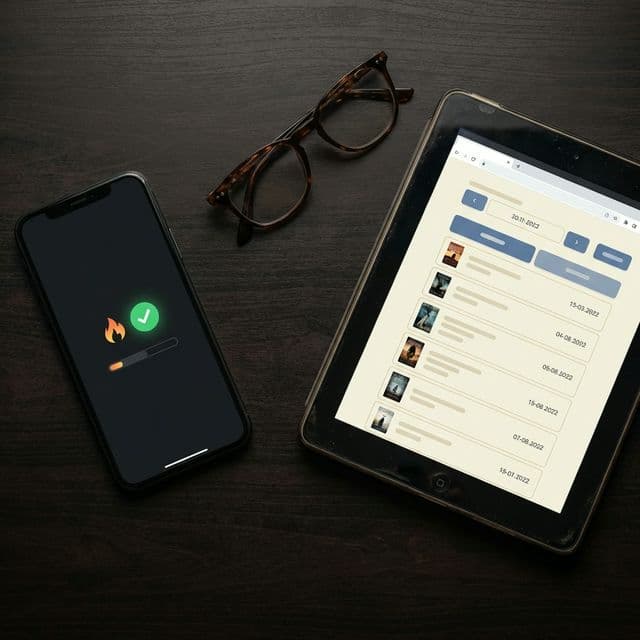
If you’re looking for a way to track the books you read, Goodreads is probably the first name that comes to mind. It’s been around since 2007, has over 150 million members, and was acquired by Amazon in 2013. For a long time, it was the only real option.
But the options have changed. A growing number of readers are looking for something different: something more focused on their reading, not everyone else’s. That’s the space ReadBrew was built for.
This isn’t a takedown of Goodreads. It does many things well, and for some readers it’s exactly the right tool. But if you’ve ever felt like you want a cleaner, more personal way to track your reading, this comparison will help you decide.
The core difference
Goodreads is a social reading network. Its strength is community: friends, reviews, book clubs, author interactions, and a massive database of ratings. If you want to see what your friends are reading, join group discussions, and discover books through crowd-sourced recommendations, Goodreads is unmatched.
ReadBrew is a personal reading tracker. It’s built for readers who care more about their own reading habits than anyone else’s feed. The focus is on tracking pages, building daily reading streaks, visualizing your stats, and creating a private space for your reading journey.
These are fundamentally different philosophies. Neither is wrong; they just serve different needs.
Where ReadBrew shines
Daily reading streaks
ReadBrew tracks your daily reading streak: how many consecutive days you’ve logged reading activity. You’ll hit milestones at 3, 7, 14, 21, 30, 60, and 100 days, each with its own celebration. It sounds simple, but it’s surprisingly effective at turning reading into a daily habit. Goodreads has no equivalent feature.
Reading stats & visualization
ReadBrew gives you detailed reading analytics: pages read per day, your best reading day, weekly and monthly breakdowns, sparkline charts, and a reading heatmap that shows your consistency across a calendar. Goodreads offers a yearly reading challenge counter and a basic year-in-review, but nothing close to the granular, ongoing stats that ReadBrew provides.
Design & experience
This is one of the most common reasons readers explore alternatives. Goodreads’ interface has barely changed in over a decade. The mobile app is functional but feels dated, and the desktop site can be cluttered. ReadBrew was designed from scratch with a modern, dark-mode interface and five color themes (Matcha, Gold, Rose, Ocean, and Lavender). If the look and feel of your reading app matters to you, the difference is significant.
Privacy-first approach
ReadBrew is private by default. There’s no social feed, no public profile, and no ads. Your reading data stays yours. Goodreads, by contrast, makes your shelves and reviews public by default (though you can adjust this), and as an Amazon-owned platform, your reading habits feed into a much larger data ecosystem. For readers who just want a personal reading log without the social layer, ReadBrew is a better fit.
Flexible progress tracking
ReadBrew lets you log progress three ways: by page number, by pages read in a session, or by percentage. The percentage option is particularly useful for e-reader users who don’t always have page numbers. Each entry is saved as a reading session with a timestamp, so you can see your full reading history for every book.
Home screen widgets
ReadBrew Pro offers home screen widgets that show your current reading progress and streak right on your phone’s home screen. Goodreads doesn’t offer native widgets, so you need to open the app every time you want to check your progress.
Where Goodreads wins
Goodreads has real advantages. These are the areas where it excels:
Community & social features
Goodreads has one of the largest reading communities in the world. You can follow friends, join book clubs, participate in discussion groups, see what people in your network are reading, and interact with authors directly. If the social side of reading is important to you (sharing reviews, getting recommendations from friends, or joining reading groups), Goodreads is hard to beat.
Book discovery & recommendations
With millions of reviews and ratings, Goodreads has a powerful recommendation engine. It can surface books based on your reading history, show you what’s trending, and let you browse curated lists. ReadBrew is focused on tracking, not discovery, so if finding your next book is a priority, Goodreads has the edge.
The largest book database
Goodreads’ book database is massive, with detailed metadata, multiple editions, and user-contributed data spanning decades. While ReadBrew searches millions of titles through Open Library, very niche or independently published books may be easier to find on Goodreads.
It’s completely free
Every Goodreads feature is free (supported by ads and Amazon integration). ReadBrew’s core tracking features are also free, but advanced stats, widgets, smart collections, iCloud sync, and all five themes require a Pro upgrade.
Web access
Goodreads works on desktop, tablet, and mobile through a web browser. ReadBrew is currently a mobile-only app for iOS and Android. If you prefer managing your library from a laptop, Goodreads gives you that option.
Feature-by-feature comparison
| Feature | ReadBrew | Goodreads |
|---|---|---|
| Primary Focus | Personal reading tracking & habit-building | Social reading community & book discovery |
| Reading Streaks | Daily streaks with milestone celebrations at 3, 7, 14, 21, 30, 60, and 100 days | No streak tracking |
| Reading Stats | Detailed stats: pages per day, best reading day, sparkline charts, reading heatmap, weekly & monthly breakdowns | Basic yearly reading challenge stats and year-in-review |
| Yearly Goals | Set a book goal with pace tracking: see if you're ahead, on track, or behind | Yearly reading challenge (number of books only) |
| Progress Tracking | Track by page number, pages read, or percentage (great for print and e-readers) | Update by percentage or page number |
| Design & Interface | Modern, dark-mode design with 5 color themes (Matcha, Gold, Rose, Ocean, Lavender) | Minimal design updates since 2013 |
| Social Features | Share Reading Wrap cards to social media; private by default | Full social network: friends, reviews, groups, discussions, following authors |
| Book Database | Powered by Open Library, with millions of titles searchable | Massive proprietary database with Amazon integration; one of the largest available |
| Library Organization | Status-based (Want to Read, Currently Reading, Finished, DNF) plus custom collections with emoji, colors, and smart rules | Shelves (Read, Currently Reading, Want to Read) plus unlimited custom shelves and tags |
| Rating System | Star ratings for personal tracking | 1–5 star ratings only (no half stars), visible to the community |
| Privacy | Private by default: no social feed, no public profile, no ads | Public by default: reviews and shelves are visible unless you change settings. Owned by Amazon. |
| Recommendations | Not a focus; designed for tracking, not discovery | Recommendation engine based on your reading history and community data |
| Pricing | Free with optional Pro upgrade for advanced stats, widgets, smart collections, iCloud sync, and all themes | Completely free (ad-supported) |
| Platforms | iOS and Android native apps | iOS, Android, and web (desktop experience is more full-featured than mobile) |
| Home Screen Widgets | Yes: see reading progress and streaks from your home screen (Pro) | No native widgets |
Which one is right for you?
Choose ReadBrew if you…
- Want to build a consistent daily reading habit
- Love seeing detailed stats and visual progress
- Prefer a clean, modern app
- Value privacy and a distraction-free experience
- Care about reading streaks and milestone celebrations
- Want home screen widgets for quick progress checks
- Use an e-reader and need percentage-based tracking
Choose Goodreads if you…
- Want a social experience: following friends, joining groups
- Rely on community reviews to discover new books
- Need access from a desktop web browser
- Want everything completely free with no paid tier
- Have years of reading history already logged there
- Enjoy interacting with authors and participating in book clubs
- Want access to the largest book database available
Can you use both?
Yes. Many readers use Goodreads for discovery and community while using ReadBrew as their daily reading tracker. ReadBrew doesn’t try to replace the social side of Goodreads; it focuses on the personal tracking experience that Goodreads doesn’t prioritize.
Think of it like this: Goodreads is where you go to find your next book. ReadBrew is where you go to actually read it and build the habit of reading every day.
Different tools for different readers
Goodreads is a great platform with a massive community, and it’s not going anywhere. But it was built as a social network first and a reading tracker second. If what you really want is a focused tool to track your pages, build reading streaks, visualize your stats, and stay motivated, that’s exactly what ReadBrew was designed to do.
ReadBrew is free to download on iOS and Android. Try it alongside Goodreads and see which approach helps you read more.
Ready to try a different kind of book tracker?
Download ReadBrew for free and start building your reading streak today. Rated 4.9 stars on the App Store.
Free to download · No account required